


Image: Lenovo
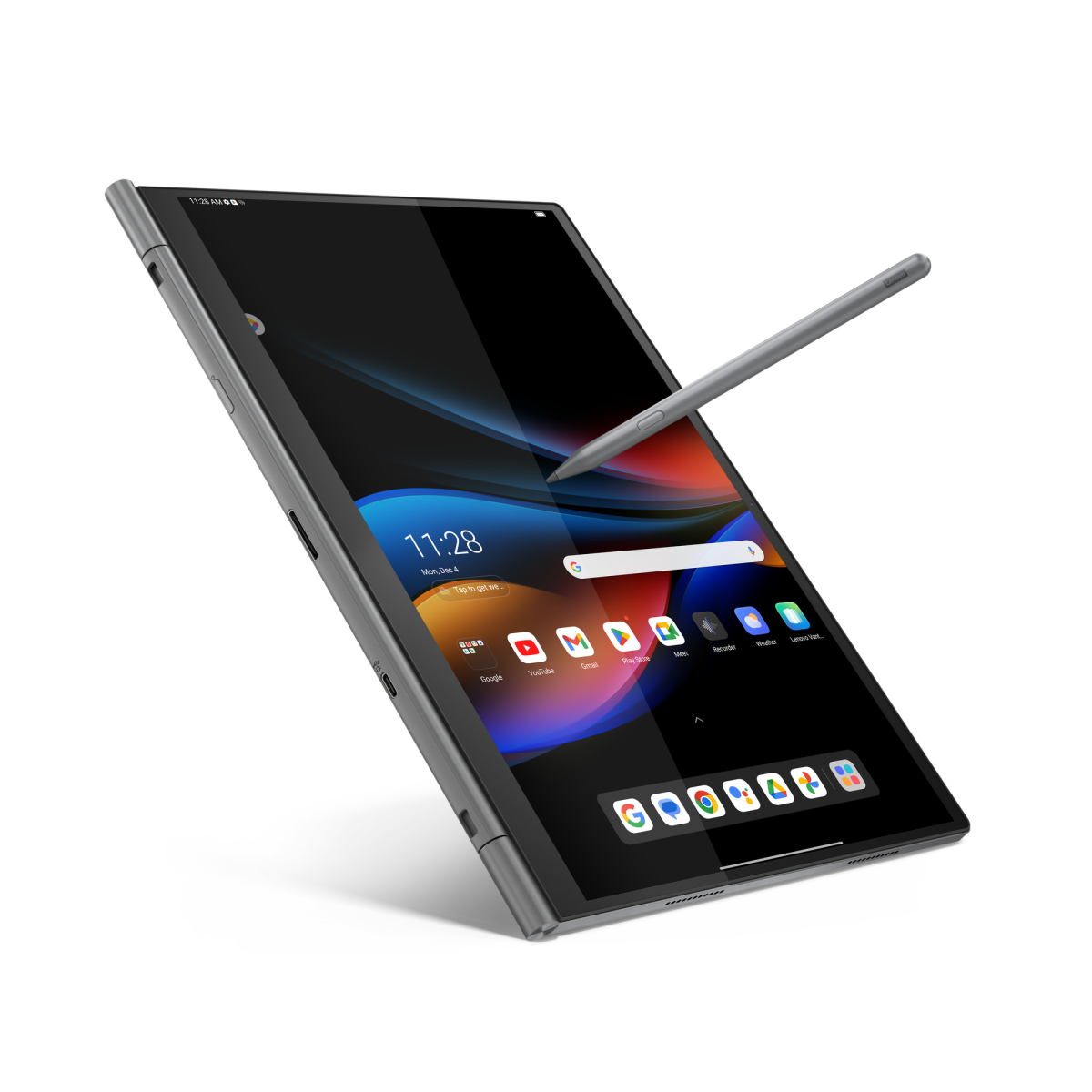
Are you a tech enthusiast who loves gadgets that possess the ability to transmute into entirely different gadgets? If so, the Lenovo ThinkBook Plus was designed with fans like you in mind. This innovative design allows you to tear the screen from this seemingly ordinary laptop, instantly transforming it into a 14-inch Android-powered tablet. Unlike other devices that serve as hybrid laptop-tablet combinations, such as those in the Surface or Yoga product lines, the ThinkBook Plus actually functions as two separate devices in one.
Under regular operating conditions, the ThinkBook Plus Gen 5 Hybrid is an average mid-range laptop. It comes equipped with a Core 7 Ultra processor, 32GB of RAM, a terabyte of Gen 4 storage, and an Arc GPU (whether it’s integrated or discrete Lenovo doesn’t specify). The laptop features a fairly spacious 75-watt battery for its size, as well as two Thunderbolt 4 (USB-C) ports and a fingerprint reader. But the real highlight is its screen.
When attached to the base station, it boasts a 14.5-inch OLED screen with a 2.8K resolution and offers touch capabilities, complete with optional pen input. The screen is impressive on its own, but once detached, it reveals that it’s actually a tablet powered by Android 13 and a Qualcomm Snapdragon 8+ Gen 1 processor. Discreetly concealed beneath the massive OLED panel (which is equivalent in size to Samsung’s largest Galaxy tablet) are 12GB of dedicated RAM and 256GB of storage. The tablet comes with its own USB-C port for data and charging, along with its own Wi-Fi, Bluetooth, and a built-in 38-watt battery.

Lenovo
When docked, the two parts share the front-facing HD camera (infrared for Windows Hello) as well as the rear dual-camera setup (13MP + 5MP). If you want to use both devices simultaneously, you have several options. The ThinkBook Plus can utilize its ARM-based hardware to run Android apps in Windows 11 via “Hybrid Stream,” allowing for a low-latency picture-in-picture experience. You can also maintain access to Windows when the Android tablet is detached, simply by plugging in a monitor to the bottom half of the device, and it’s good to go. The keyboard and trackpad will continue to function in this “headless” mode, providing the ability to use the tablet for tasks like playing games such as Hearthstone (or, I suppose, something productive).
Lenovo
If you prefer utilizing the whole setup as an Android-based laptop, that’s no problem. While docked, just touch a Function button to toggle between Windows and Android interfaces. When switched to Android, you’ll find that the keyboard and trackpad are accessible, and yes, the tablet has access to the Google Play Store and all standard Android applications.
The ThinkBook Plus is a testament to Lenovo’s ongoing innovation in form factor experimentation. If you’d like to find out more about the Lenovo ThinkBook Plus, you can read the full article here.
Read More rnrn