


If you buy something through our links, we may earn money from our affiliate partners. Learn more.
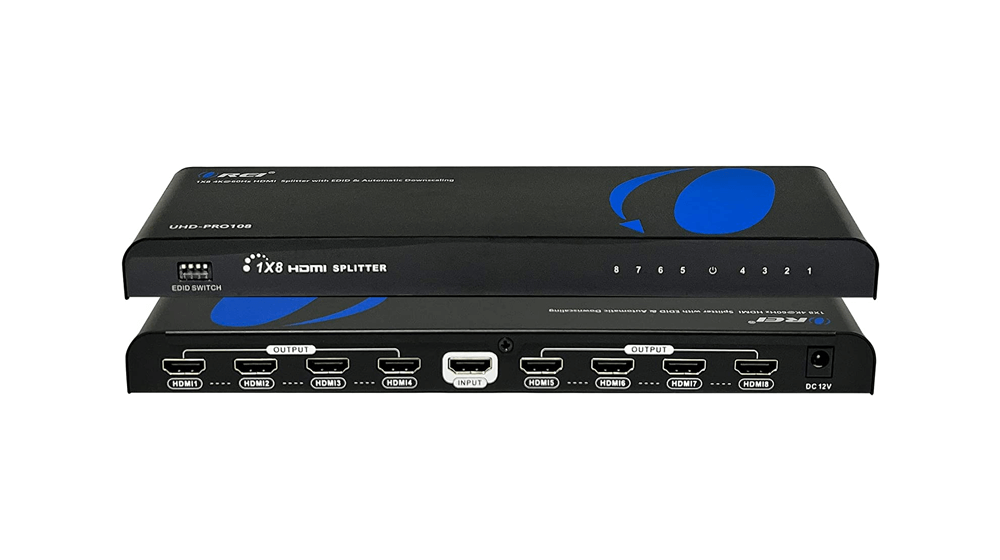
Discover the magic of HDMI splitters. They are an affordable and effective way to share video and audio signals to multiple monitors or devices. With an HDMI splitter, the output signal will be an exact duplication of the original source.
Uses For HDMI Splitters
Unleash the power of HDMI splitters in various scenarios for your small business:
- Multi-Display Presentations:
- Amplify your presentations, meetings, or conferences by connecting multiple displays with an HDMI splitter. Engage clients or team members by showcasing content simultaneously on several screens.
- Training and Educational Purposes:
- Empower trainers to demonstrate procedures, tutorials, or presentations to a group of trainees simultaneously by using an HDMI splitter during training sessions.
- Trade Shows and Exhibitions:
- Showcase products, services, or promotional videos on several screens at trade shows or exhibitions using an HDMI splitter to attract more attention from attendees.
- Digital Signage and Advertising:
- Enhance visibility and customer engagement by creating dynamic digital signage within your business premises or storefront using an HDMI splitter to display advertisements, promotions, or information across multiple screens.
- Collaborative Work Environments:
- Encourage collaboration among team members in collaborative workspaces by connecting multiple monitors. This allows for easy sharing of information, data, or project updates across various screens.
- Gaming Events or LAN Parties:
- Immerse yourself in gaming events or LAN parties by using an HDMI splitter to connect multiple gaming consoles or PCs to separate displays for a more immersive experience.
- Control Room or Monitoring Stations:
- Efficiently monitor and make decisions by displaying critical data, surveillance feeds, or operational information across multiple screens using an HDMI splitter to create control rooms or monitoring stations.
- Entertainment Venues or Restaurants:
- Enhance the customer experience in entertainment venues or restaurants by using an HDMI splitter to display live events, sports matches, or entertainment programs on multiple screens for patrons.
HDMI Splitters for Your Business or Home Office
When selecting an HDMI splitter for your business needs, consider several crucial factors to ensure optimal performance and compatibility. Here are the general criteria we use to assess HDMI splitters, along with their respective importance:
- Number of Ports: (Importance: High)
- Choose a splitter that accommodates your specific connectivity needs without compromising quality by considering the number of HDMI output ports required to connect multiple displays or devices simultaneously.
- Supported Resolutions and Formats: (Importance: High)
- Ensure the HDMI splitter supports the resolutions and formats of your devices or displays.