


Skip to content

Image: Microsoft
Are you a long-time Windows user? Even if you’ve been using Windows for decades, there are still helpful but obscure features to discover. We’ve rounded up ten little-known Windows features that will improve your efficiency, comfort, or fun while using your PC.
All of them should work on both Windows 10 and 11 alike, and each only takes a few seconds to try out. Here we go, in no particular order:
Michael Crider/IDG
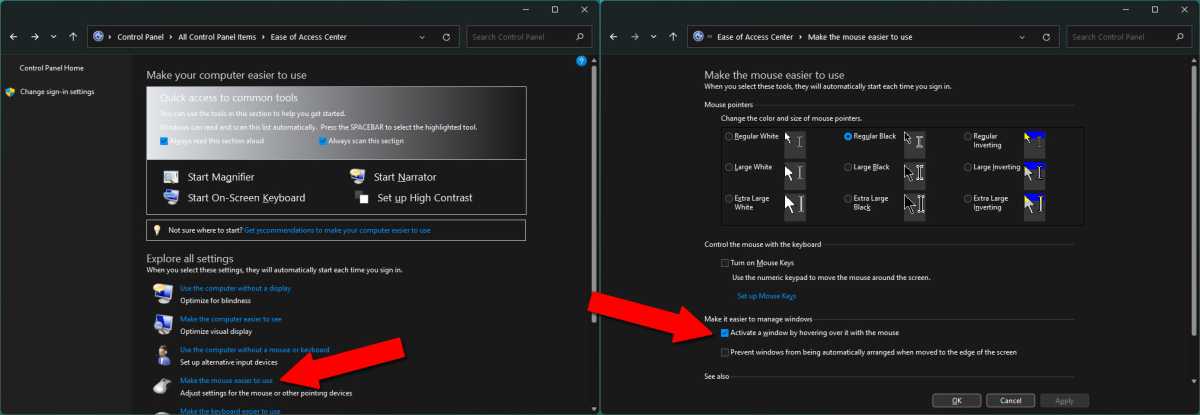
First, you need to try the mouse hover window activation. Technically, it’s part of the accessibility tools, but many users might find it useful no matter what their level of mobility. This setting allows you to activate a window simply by moving your mouse cursor over it, instead of requiring an extra click before interacting with the program. It’s a tiny change, but one that makes a huge difference, especially on a laptop trackpad. Now, you can finally change this hover over window setting in just a few steps!
Michael Crider/IDG
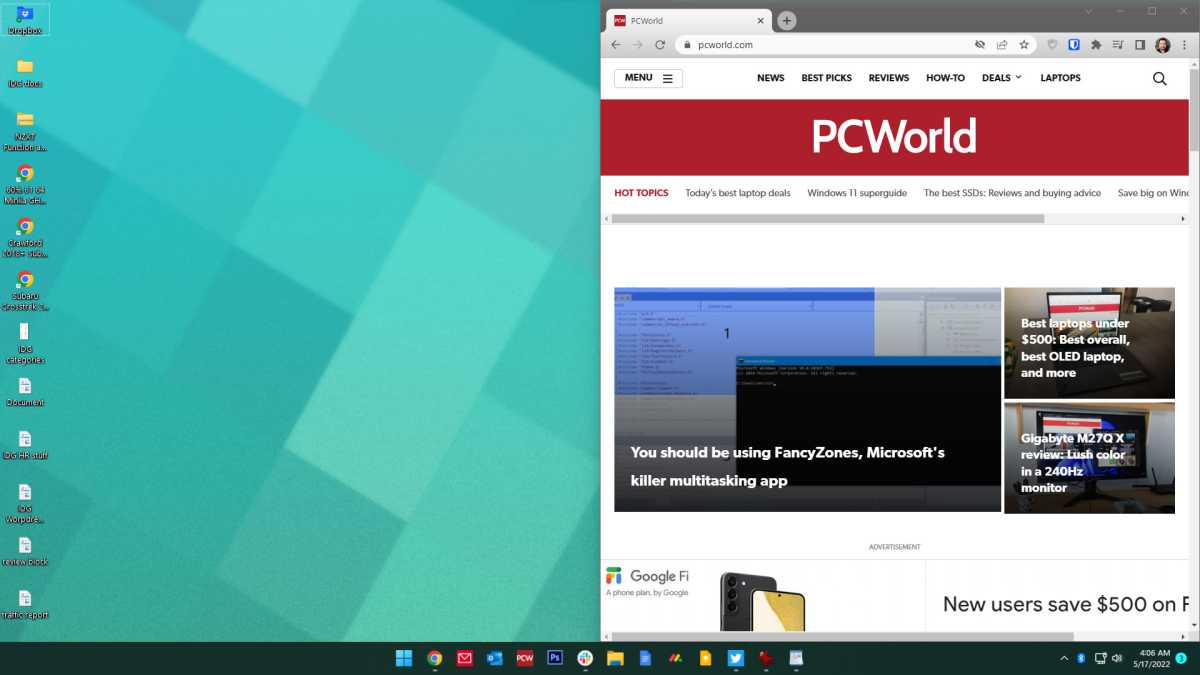
Windows 10 and 11 support easy window arrangement to move windows around your screen. Hold down the Windows key on your keyboard, then press the arrow keys. Pressing left or right will instantly move the window to the corresponding half of the screen. Give it a try to instantly become more organized!

Michael Crider/IDG
Quick taskbar launching is available for all your most-used programs and tools. You just need to hold down the Windows button and press the number on your keyboard that corresponds to their spot on the taskbar.
Michael Crider/IDG
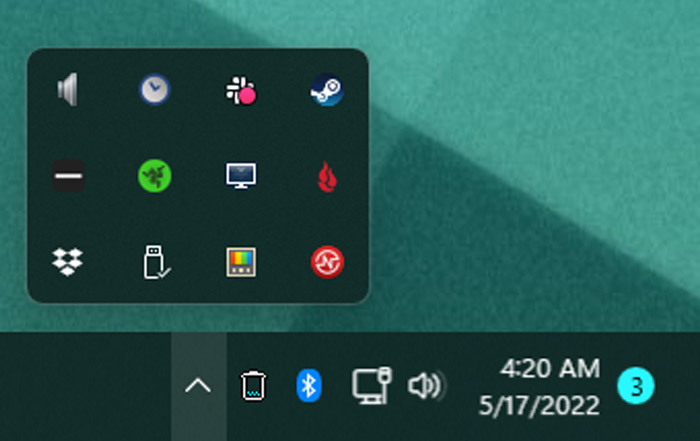
Click and drag any of the taskbar system tray icons around to re-arrange them. You can put them in the drop-down menu to hide them or click the arrow to show them again.