


Image: Mark Hachman / IDG
Google Chrome is adding three new generative AI features, ranging from the creative to the practical. Right now, they are an experiment — though it’s likely they’ll arrive in the stable version of the browser before long.
The three new features include AI-powered tab organization, a way to use AI to generate tab backgrounds, and an AI writing feature that will debut next month. But to enable them, you’ll need to make sure your version of Chrome is up to date with version M121, and you’ll need to ensure you enable the experimental features via the Settings menu.
(To do so, navigate to the “More” –the “three vertical dots” menu — in Chrome. From there, you should see a list of settings, including one marked “Experimental AI”. Toggle it on.)
AI-powered tab grouping appears to be the most useful new feature. There’s a slight catch: even after updating, the AI grouping won’t work except on newly-created tabs, at least for now. You won’t be able to group existing tabs. Once you’ve created a few new tabs, however, such as the baseball-oriented tabs I created below, right-clicking on one tab and selecting “Organize Similar Tabs” will use AI to hunt down and then group the related tabs.
 Tab grouping in Google Chrome.
Mark Hachman / IDG
As someone who does not use tab grouping on a routine basis — sorry, my tabs are kind of a mess! — this new feature is rather useful. Because tab groups can be expanded and contracted with just a click, I don’t think the one fear I had — losing a tab inside a group — will be justified. On the contrary, it seems easier than ever to collect tabs by task.
Adding an AI background is less practical, though more fun. Again, you may find that you’ll need to open a new window to enable this feature.
When you open a new tab, you’ll see either a small “pencil” icon or a “Customize Chrome” icon in the lower-right-hand corner. Click it, and you’ll have the option to change the desktop theme. “Create with AI” is a slightly hidden option within the menu tree, behind “Change theme”. Here, Google has leaned into suggestions for backgrounds, rather than just a blank prompt. You’ll be able to select from different scenes and moods, to create images like the one at the top of this page.
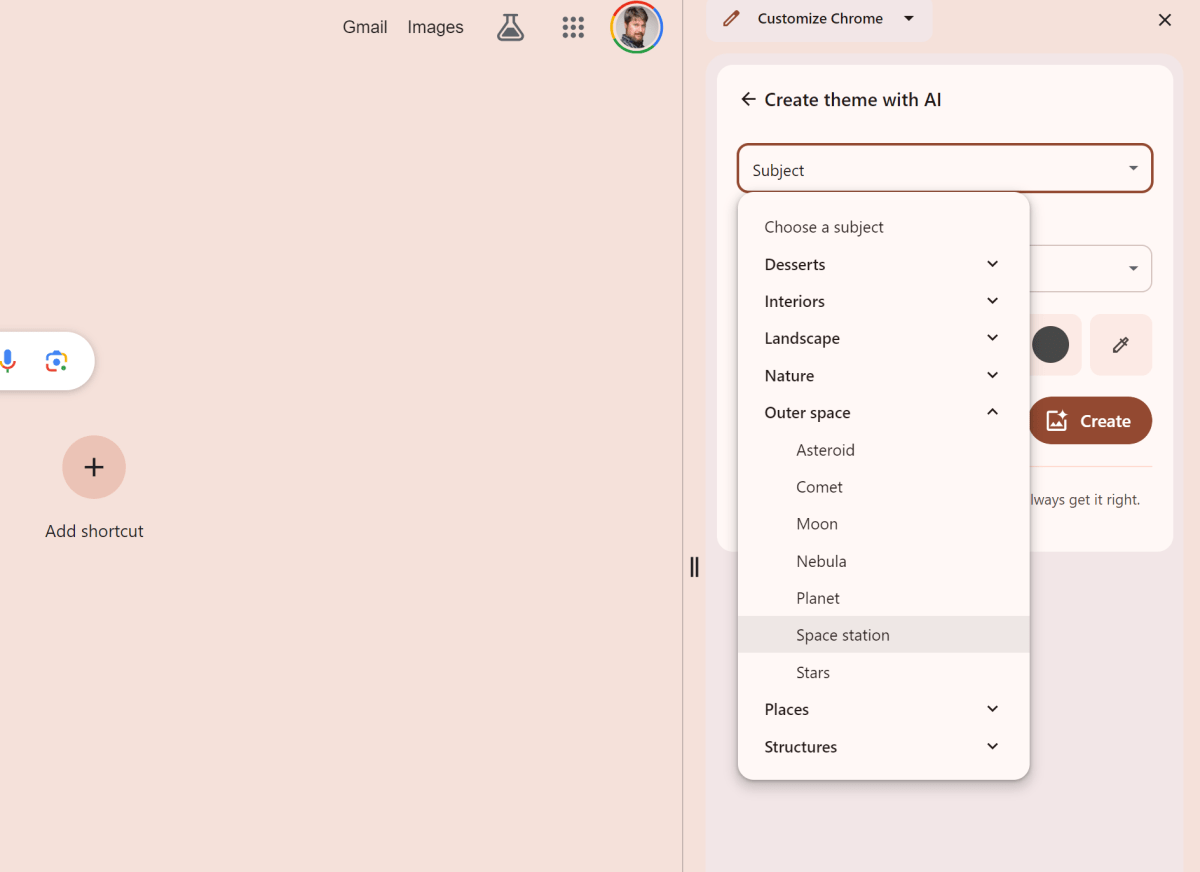 Google’s AI theme generation leans more toward suggestions.
Mark Hachman / IDG
Next month, Chrome will begin to add AI-writing features directly into the browser. By right-clicking any text box or field within Chrome, you’ll be able to select “Help me write” and let Google suggest a few sentences to get you started.
Google clearly is feeling the pressure from Microsoft’s Copilot AI — but its Chrome browser is far more popular than Edge.